Frontend Development
React.js vs Next.js: Which One Should You Choose in 2026?
React is one of the most popular JavaScript libraries for building user interfaces, while Next.js is the most widely adopted framework built on top of React. Developers often compare them as if they're competitors, but in reality, they solve different problems.
If you're just starting your frontend journey, you've probably asked this question:
Should I learn React or Next.js?
The answer isn't as simple as choosing one over the other because Next.js actually uses React underneath. Every Next.js application is still a React application—it simply provides additional tools and features that make building production-ready applications easier.
Think of it like this:
If your goal is to build modern websites with excellent performance, SEO, and developer experience, understanding the differences between these two technologies is essential.
What is React?
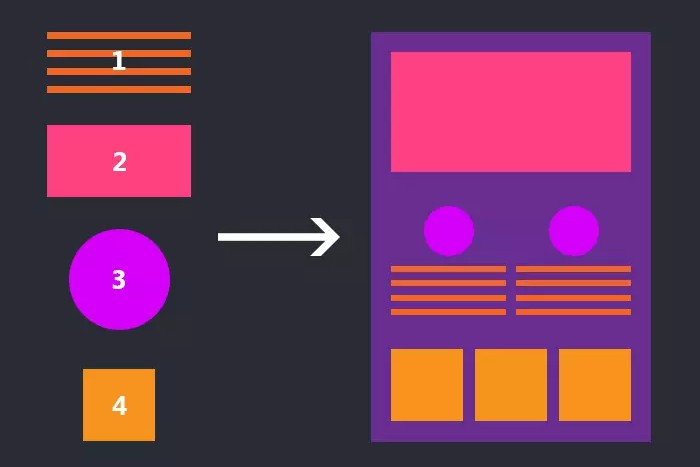
React is an open-source JavaScript library developed by Meta for building user interfaces using reusable components.
Instead of manipulating the DOM directly, React introduces a component-based architecture where each part of your UI becomes an independent, reusable piece.
Key Features
- Component-based architecture
- Virtual DOM for efficient updates
- Rich ecosystem
- Large community
- Flexible project structure
- Works with many backend technologies
Best Use Cases
React is an excellent choice for:
- Internal company dashboards
- Admin panels
- SaaS applications
- Interactive web applications
- Single Page Applications (SPA)
These applications usually don't rely heavily on search engine optimization and mainly focus on user interaction after login.
What is Next.js?
Next.js is a React framework created by Vercel that adds many production-ready features out of the box.
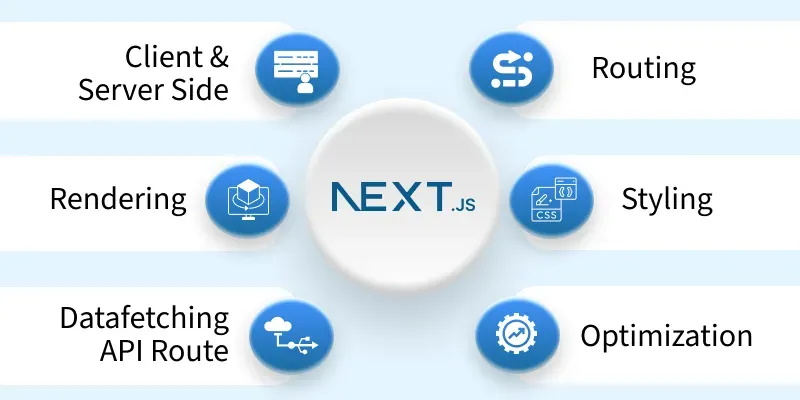
Instead of installing separate libraries for routing, image optimization, server-side rendering, or API handling, Next.js provides them by default.
This allows developers to focus more on building features instead of configuring their project.
Built-in Features
- File-based routing
- Server-Side Rendering (SSR)
- Static Site Generation (SSG)
- Incremental Static Regeneration (ISR)
- React Server Components
- API Routes
- Image Optimization
- Automatic code splitting
- Metadata and SEO support, etc.
These features help create faster websites with better search engine visibility and improved user experience.
React vs Next.js
Although both technologies use the same component model, they approach application development differently.
| Feature | React | Next.js |
|---|---|---|
| Type | UI Library | React Framework |
| Routing | React Router | Built-in File Routing |
| SEO | Manual setup | Excellent out of the box |
| Rendering | Client-side by default | CSR, SSR, SSG, ISR |
| Performance | Depends on configuration | Optimized by default |
| Image Optimization | Third-party libraries | Built-in |
| API Backend | Separate backend required | API Routes available |
| Configuration | Highly flexible | Opinionated but productive |
| Learning Curve | Easier initially | Slightly steeper |
Rendering Differences
One of the biggest differences is how pages are rendered.
React
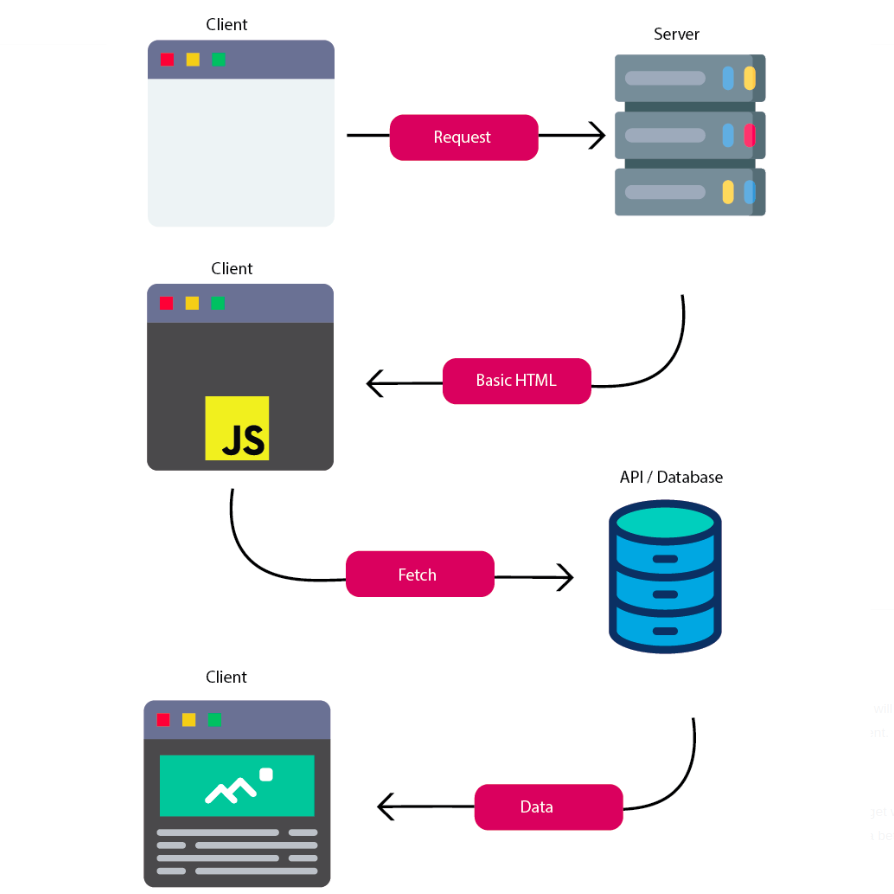
React applications are traditionally rendered entirely in the browser (Client-Side Rendering).
The browser downloads JavaScript first, then React builds the page.
This works well for highly interactive applications but can delay the first meaningful content and make SEO more challenging.
Next.js
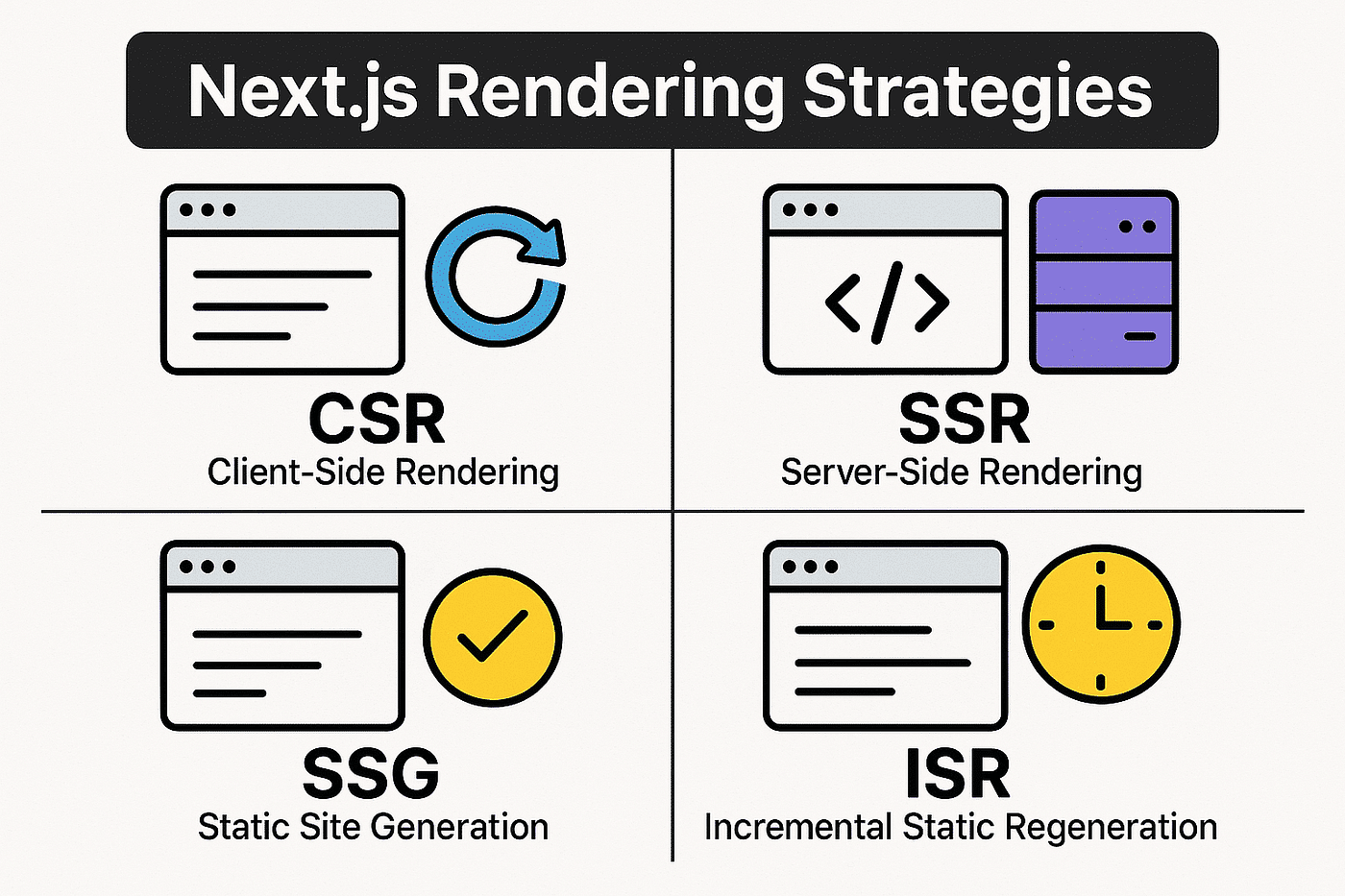
Next.js offers multiple rendering strategies depending on your application's needs.
- Client-Side Rendering (CSR)
- Server-Side Rendering (SSR)
- Static Site Generation (SSG)
- Incremental Static Regeneration (ISR)
Because pages can be pre-rendered before reaching the browser, users often see content faster and search engines can index pages more effectively.
Performance
React itself is very fast.
However, performance depends on how developers configure routing, code splitting, lazy loading, caching, and rendering strategies.
Next.js automatically handles many of these optimizations:
- Automatic code splitting
- Optimized image loading
- Streaming
- Server Components
- Smart caching
- Route prefetching
As applications grow larger, these built-in optimizations become increasingly valuable.
SEO
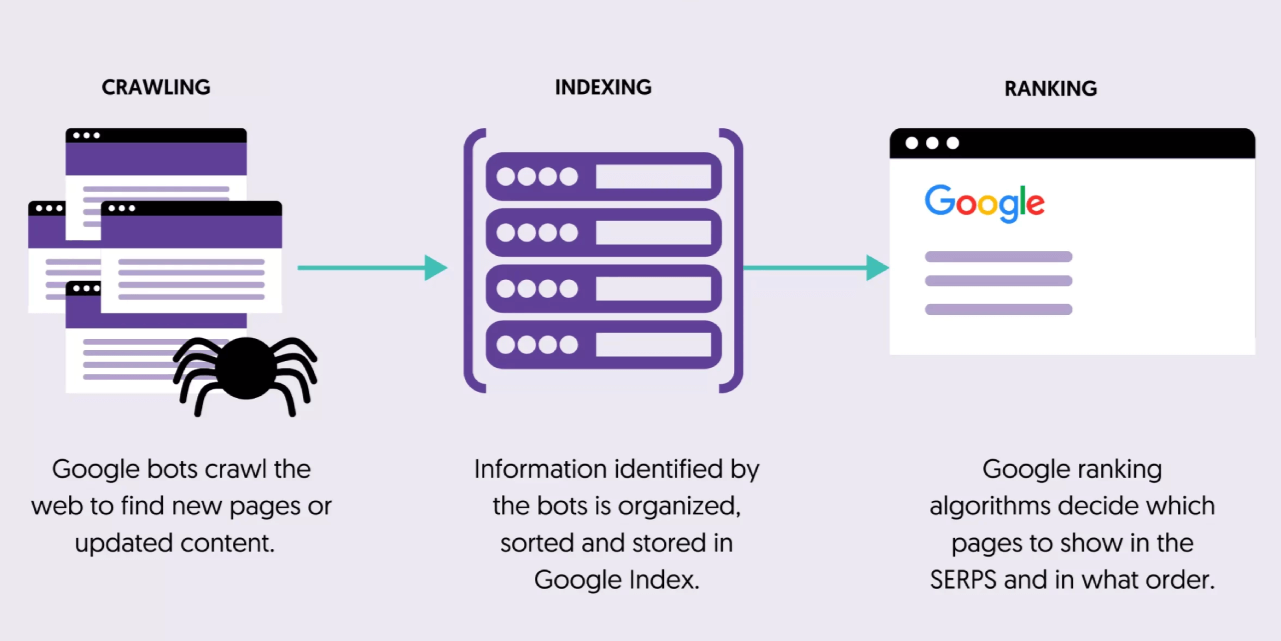
Search Engine Optimization is one area where Next.js has a clear advantage.
React
SEO usually requires additional work such as:
- Pre-rendering
- Dynamic metadata
- Server-side rendering setup
- Sitemap generation
Next.js
Next.js includes SEO-friendly features such as:
- Server-rendered HTML
- Metadata API
- Static generation
- Automatic sitemap support
- Faster page loading
For content-heavy websites like blogs, portfolios, marketing pages, and e-commerce stores, these features provide a strong foundation for search engine visibility.
Developer Experience
React offers maximum flexibility.
You decide:
- Which router to use
- Which state management library
- Build tooling
- Folder structure
- Data fetching strategy
Next.js provides sensible defaults.
Instead of spending hours configuring your project, you can start building features immediately.
For many teams, this improves productivity and reduces maintenance.
When Should You Choose React?
Choose React if you are building:
- Internal dashboards
- Admin systems
- Enterprise software
- Interactive SaaS products
- Applications where SEO is not important
- Projects requiring full control over architecture
When Should You Choose Next.js?
Choose Next.js if you are building:
- Company websites
- Personal portfolios
- Blogs
- E-commerce platforms
- Landing pages
- Documentation websites
- SEO-focused applications
- Content-driven platforms
My Recommendation
After working with both technologies, I don't think of React and Next.js as competitors.
Instead, I see them as different layers of the same ecosystem.
- Learn React first because it teaches the fundamentals of components, state management, hooks, and rendering.
- Once you're comfortable with React, learning Next.js becomes much easier because you're building on the same concepts with additional capabilities.
Today, Next.js has become the default choice for many production websites because it solves common problems like routing, rendering, performance optimization, and SEO with minimal configuration. React remains the foundation, while Next.js provides the tools needed to deliver production-ready applications more efficiently.
Final Thoughts
React transformed frontend development by making interfaces component-based and reusable. Next.js builds on that foundation by adding production-ready features that improve performance, SEO, and the overall developer experience.
The best choice depends on your project requirements—not because one technology is better than the other, but because each excels in different scenarios.
If you're building an internal dashboard or highly interactive application, React may be all you need.
If you're building a public-facing website where speed, discoverability, and scalability matter, Next.js is often the more complete solution.
In the end, learning React first and then mastering Next.js provides the strongest path for modern frontend development.